Sampling
In some cases you may want to evenly distribute how often stimuli or combinations of stimuli are seen. This could be because you have many stimuli that you want to collect data on; and you need to be efficient in terms of how many participants are required. Or maybe you want a large number of data points per stimulus subset.
Stimulus sampling is configured on the Stimuli tab of a task. See Stimulus Selection and Configuration for an overview of all options on this tab. Here we will look specifically at the Sampling and Trials configuration sections.
Default: Non-optimized sampling
If you want to make your whole Stimulus Set available to every participant, simply select All. If you are not trying to optimize sampling, you can also select Random. This will choose a random subset of stimuli to pass on to the task.
Maximum control: Trial Files
If you do not want Meadows to optimize your stimulus or trial sampling, you can choose upload file when creating batch. This gives you full control over both stimulus and trial sampling, but may be unwieldy for large samples, and requires you to generate a table of trials.
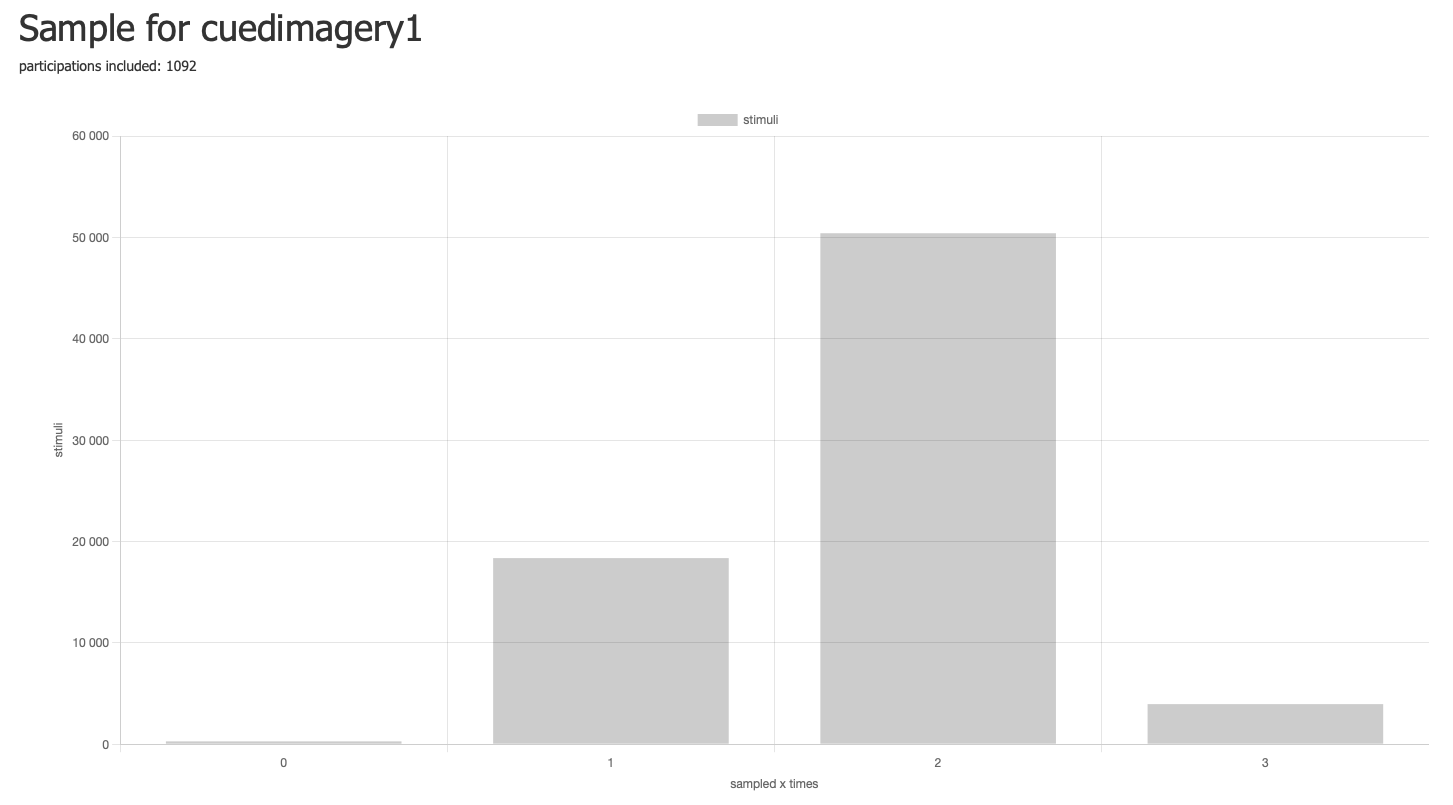
An example sampling distribution from the Meadows interface, showing how the majority of stimuli have been presented twice after recruiting 1092 participants. This graph can be found by navigating to your experiment version, then the Tasks tab, than clicking on Sampling in the pane for the given task. This link will only appear if that task is configured to use one of the sampling features.
Balanced sampling: stimuli
If you select sampling: balanced and trials: generated by task, an algorithm
will assign a subset of stimuli for each participation such that
the combinations of the target group size (single stimulus, pair or triplet)
are sampled efficiently across participations.
The task logic will then generate trials from this subset; note that the trials may well be a combination of several of the sampled combinations. For instance, in the Multiple Arrangement task, a set of 10 stimuli as presented in the initial trial, would sample 45 pairs.
Info
Note that participations are prepared when you generate a Batch, including the stimulus selection. The sampling is therefore only adjusted when you create a new batch. When participants claim a slot, but subsequently drop out, this will affect the efficiency of the sampling. This will be corrected when the next batch is generated. Therefore, when aiming for efficient Balanced Sampling, try to divide your recruitment over multiple successive batches, each comprising e.g. 10% of the full sample.
Tip
Using the include in sample toggle switch on a participation page, you can exclude a participant's data from the sample. Excluding participants may make sense for instance if you are monitoring compliance with the task instructions. The selected stimuli will then be re-sampled in a future batch. Note this switch will only appear if the experiment includes a task with Balanced Sampling.
Balanced sampling: trials
If you select sampling: balanced as well as trials: from_sampling,
the algorithm won't just configure the subset of stimuli to sample for the task,
but rather the individual trials for the task.
This makes sense in particular for task that have trials that are of the size of the sampled group; for instance, a Discriminability task has trials that present two stimuli, so we want the trials to directly reflect the sampled pairs.
Sampling group size
For most tasks, the balanced sampling algorithms will target single stimuli. The following tasks sample pairs by default:
- Attentional Blink
- Discriminability
- Drag & Rate
- Match-to-Sample
- Multiple Arrangement
- Triplet Choice
- Visual Search
And the following tasks can be configured in their parameters for single, pair or triplet sampling: